ARA 2 plugin for vocal stacks · Beta
JBT VoxLock
Click “Guide” once. The rest stays tight.
No capture. No transfer. Cut, move, change: after every edit VoxLock automatically re-aligns your doubles, backings and gang vocals to the guide track. Timing, pitch and formants are adjusted directly on the existing tracks.
Planned price: €49 at launch, €79 after that. Planned: 14-day free trial, offline licence, no iLok, no subscription.
Screenshots
How it works
1 · Insert the plugin
Put VoxLock on the first insert of every vocal track, including the guide track.
2 · Pick the guide
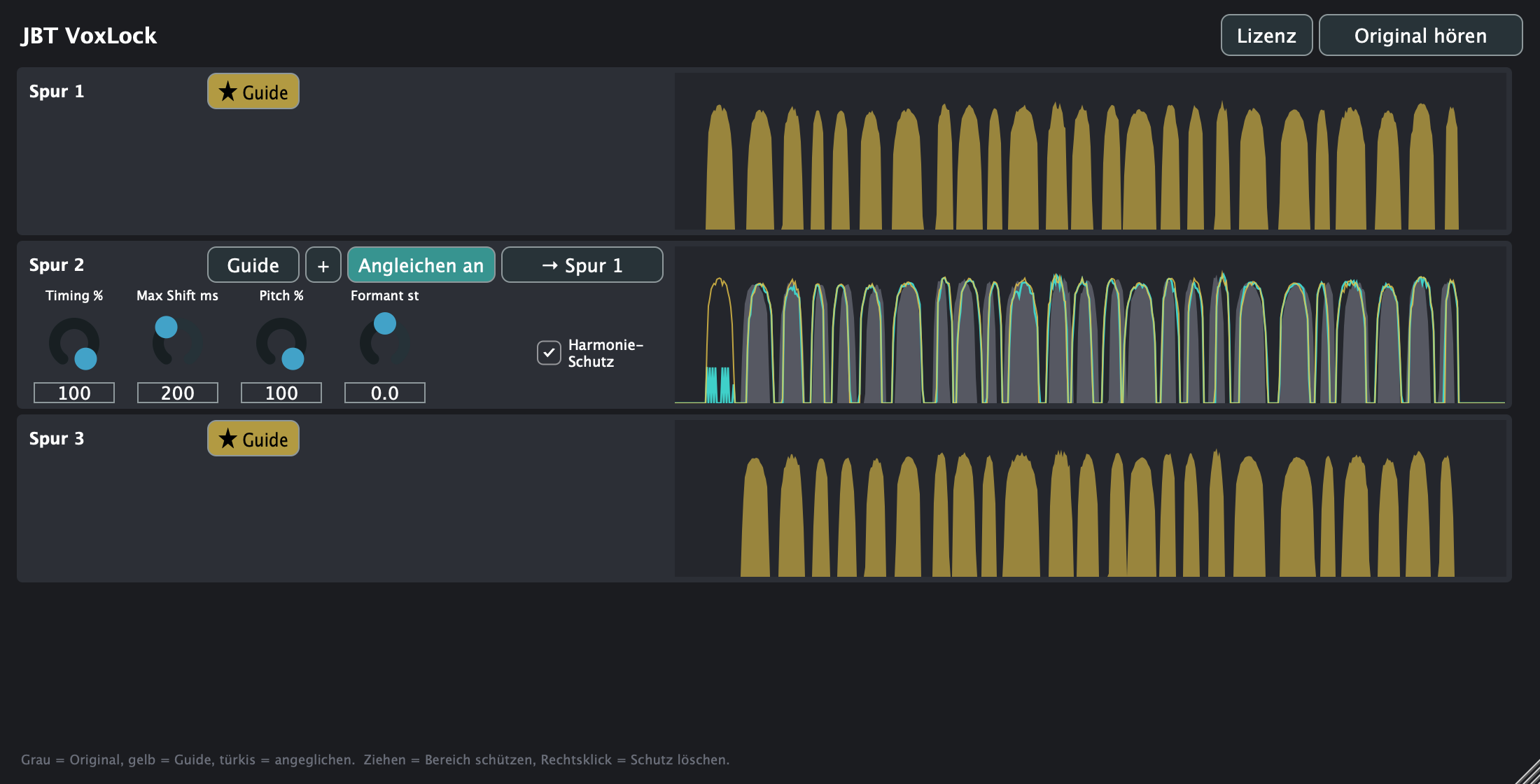
In the plugin window, click Guide on the lead track. All other tracks follow it.
3 · Play
Done. After every cut, every moved region and every new take, VoxLock re-aligns automatically.
Features
Auto re-align
After every region edit and every parameter change, VoxLock re-aligns automatically.
No capture, no transfer
VoxLock reads the regions directly from the project via ARA 2. Nothing to record, nothing to transfer.
Timing first
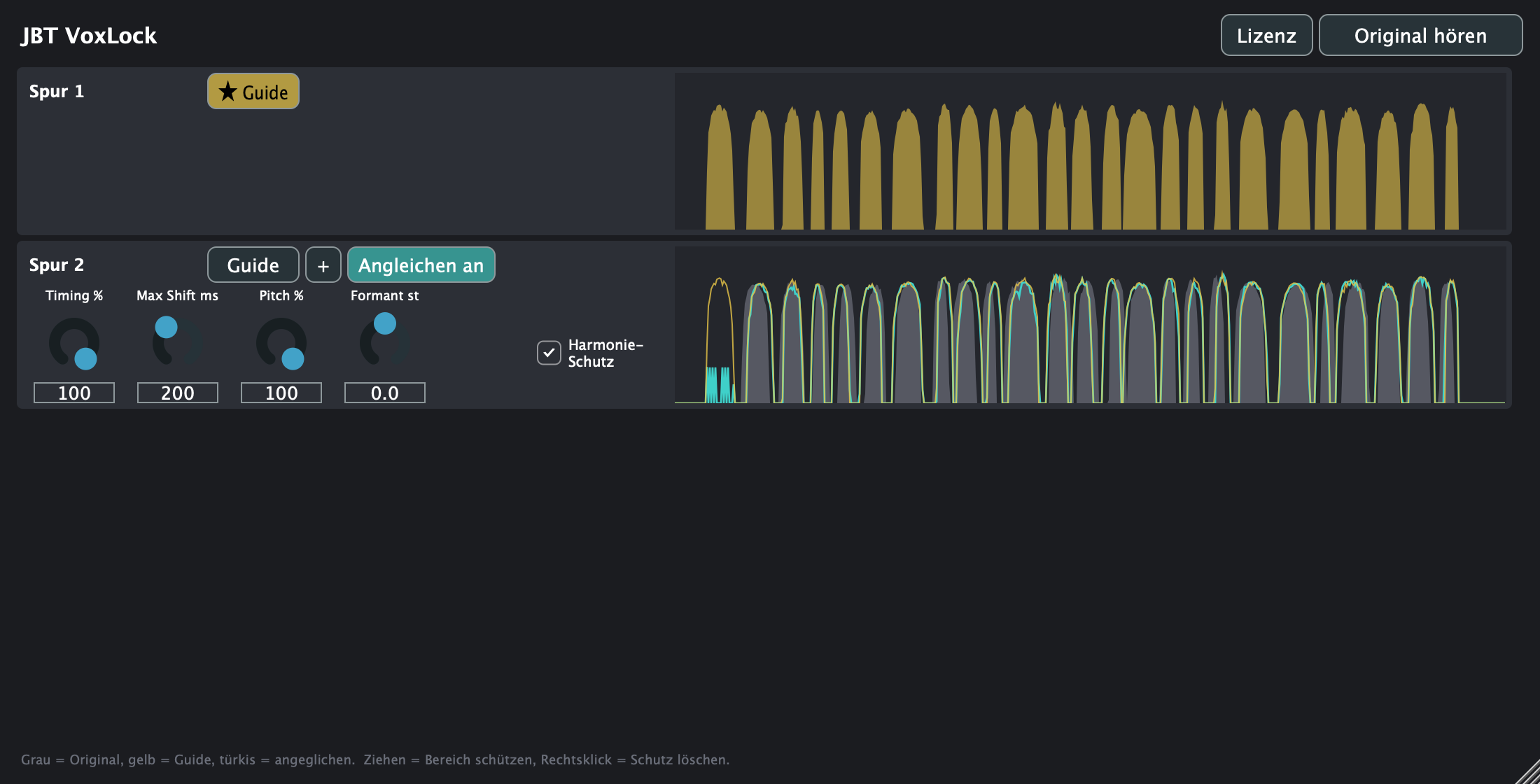
Timing % for tightness, Max Shift ms as the upper limit for shifts.
Pitch + harmony protection
Optional pitch matching. Harmony protection leaves voices that are more than 150 cents away from the guide untouched.
Formant
Shift formants without changing the pitch, so doubles do not sound like copies.
Multiple guides
Add more guides with +, e.g. for a harmony stack. Dubs are assigned to a guide with one click.
Stereo
Stereo dubs get the same correction on both sides, so the stereo image stays intact.
Protected ranges
Drag in the energy view to protect a passage. Right-click removes the protection.
A/B “Hear original”
One click and all tracks play their original. Compare without fiddling with bypass.
Stretched regions
Time-stretched regions and files with a different sample rate are taken into account.
Offline licence
Paste the key once, checked locally. No internet, no account in the plugin.
No iLok, no subscription
Buy once, keep it. No dongle, no monthly fee.
System requirements
- Formats
- AU (Logic Pro) and VST3 as beta, ARA 2
- System
- macOS 11 or later, Apple Silicon and Intel
- Host
- Logic Pro 10.4.5 or later (ARA 2). Without ARA the plugin passes the audio through unchanged.
- Test status
- Beta: verified with automated tests (synthetic vocals, a test ARA host against the built AU and VST3 plugins). Tests in real DAW sessions are running in the beta programme.
- Not yet
- Windows (VST3) in progress, no AAX (Pro Tools)
FAQ
What is ARA and why do I need it?
ARA 2 is an interface that lets a plugin access the audio regions in the project directly. That is why VoxLock does not need to record or transfer anything and notices every edit right away. Without ARA the plugin passes the audio through unchanged.
Which Logic version do I need?
Logic Pro 10.4.5 or later (from that version on, Logic supports ARA 2) on macOS 11 or later, Apple Silicon or Intel.
Why does Logic have to run under Rosetta on Apple Silicon?
On Apple Silicon Macs, Logic loads third-party plugins in a separate process. ARA does not work there. This affects all ARA plugins, not just VoxLock. Apple therefore recommends opening Logic with Rosetta for ARA: quit Logic, choose “Get Info” on Logic Pro in the Finder and enable “Open using Rosetta”. VoxLock detects this case and then shows exactly this hint.
Does VoxLock run in Cubase, Studio One or Reaper?
On the Mac, the VST3 version is included in the installer as a beta, but it is still untested in real DAWs. Windows is in progress. The licence covers all formats and both systems.
Do I need an internet connection?
No. The licence key is checked locally in the plugin. The plugin sends no data.
What happens after the 14 trial days?
Without a licence, nothing is aligned any more: all tracks play their original. Your project and all settings are kept. As soon as you paste a key, it continues right where you left off.
Does VoxLock change my audio files?
No. The alignment happens in the plugin. With “Hear original” you can hear all originals at any time.
Is there Pro Tools / AAX?
No, AAX is currently not supported.